


Most of the business owners I've spoken to recently are feeling stressed about SEO, AI SEO (which we're calling GEO), and picking the right keywords in general.
But here's the thing: even though the way people search for information is changing, the way those search engines (including AI tools) gather information isn't all that different.
No, using keywords the way you did in 2010 won't fly in 2026. But if you were up to date on SEO best practices within the past three years, you'll find that the shift to "2026 SEO" isn't too dramatic—and keywords are indeed still relevant.
The 3 biggest changes to SEO this year
- No more meandering articles that eventually lead to a link. When you create SEO content this year, you need to get right to the point. Several times throughout the article, in fact. And while you can end with a call to action (CTA), you need to provide something of value in the article itself. It can't just be an eloquently written sales pitch for whatever's linked at the end.
- Strict adherence to article structure. How and where you use headers (H1, H2, H3, and so forth) on your webpages has been important for quite some time, but this year it's a must. If you don't know what this means or how to use headers, start with an SEO audit to figure out what needs to change and how you should make adjustments going forward.
- Prioritize questions. A common misnomer is that "keyword" means a word. It doesn't. A keyword can be one word, a few words, or even a full sentence. People who use AI tools to find information are asking for that info in full sentences, usually questions — so you'll want to prioritize using and answering full questions in your blog posts.
Where should you find blog keywords in 2026?
To get a good handle on your blog keywords this year, you're going to want to build out this tech stack:
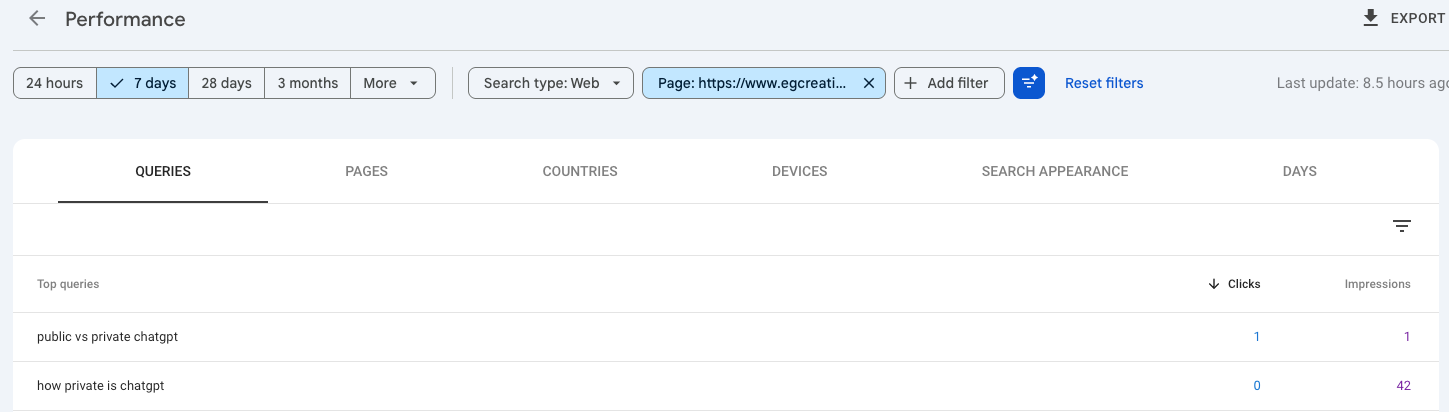
Google Search Console: See what your audience searches for
While I don't love Google Analytics, I do use and like Google Search Console — and you should too. Search Console shows you what people have searched when your site appears in the results. And yes, this includes AI Overviews / AI Mode queries, too.
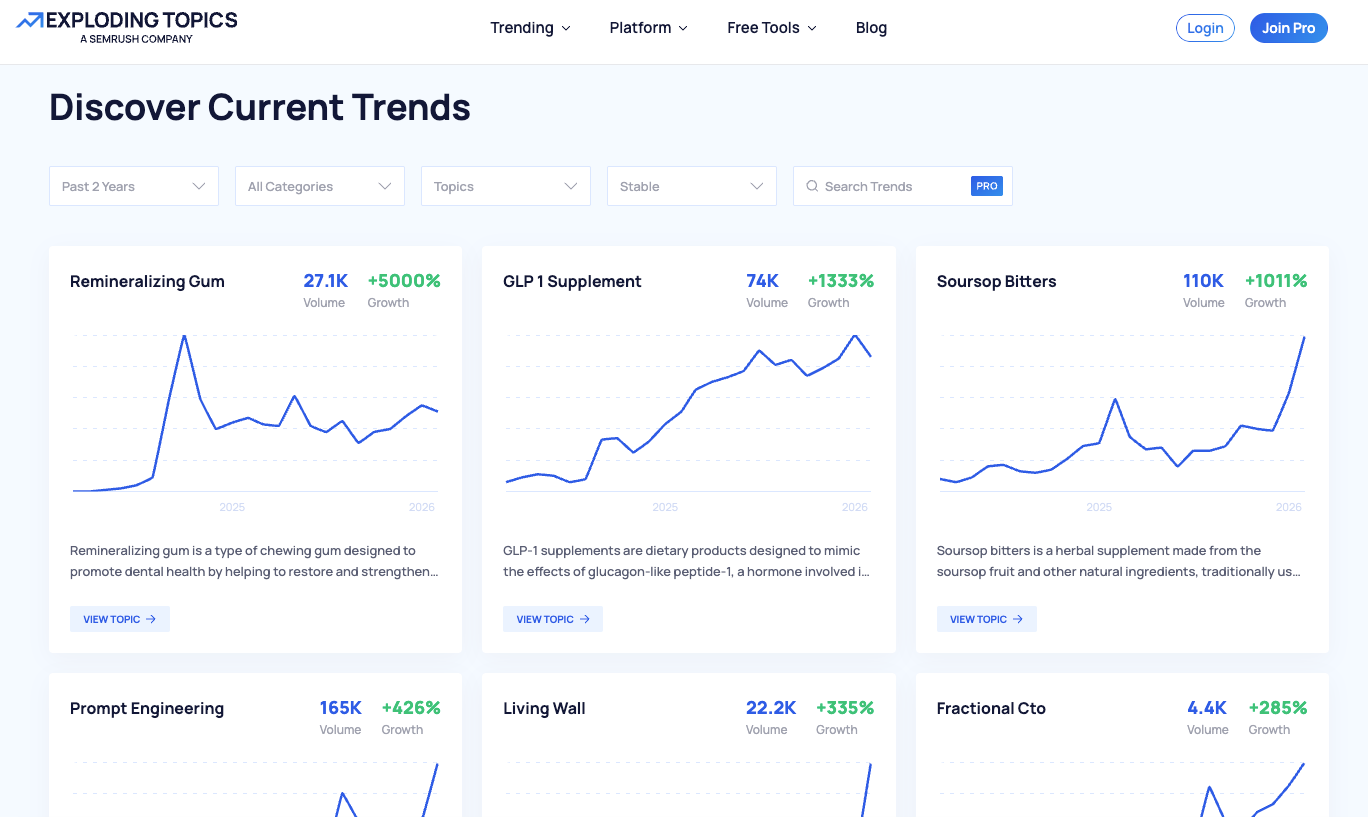
Exploding Topics: Find what topics people are talking about online
Full disclosure, I work with Exploding Topics — but I used the tool long before I started contributing to their company blog. The app has a really nice database that you can browse (a lot of it for free) that shows you what terms, topics, products, and brands people are gaining or losing interest in.
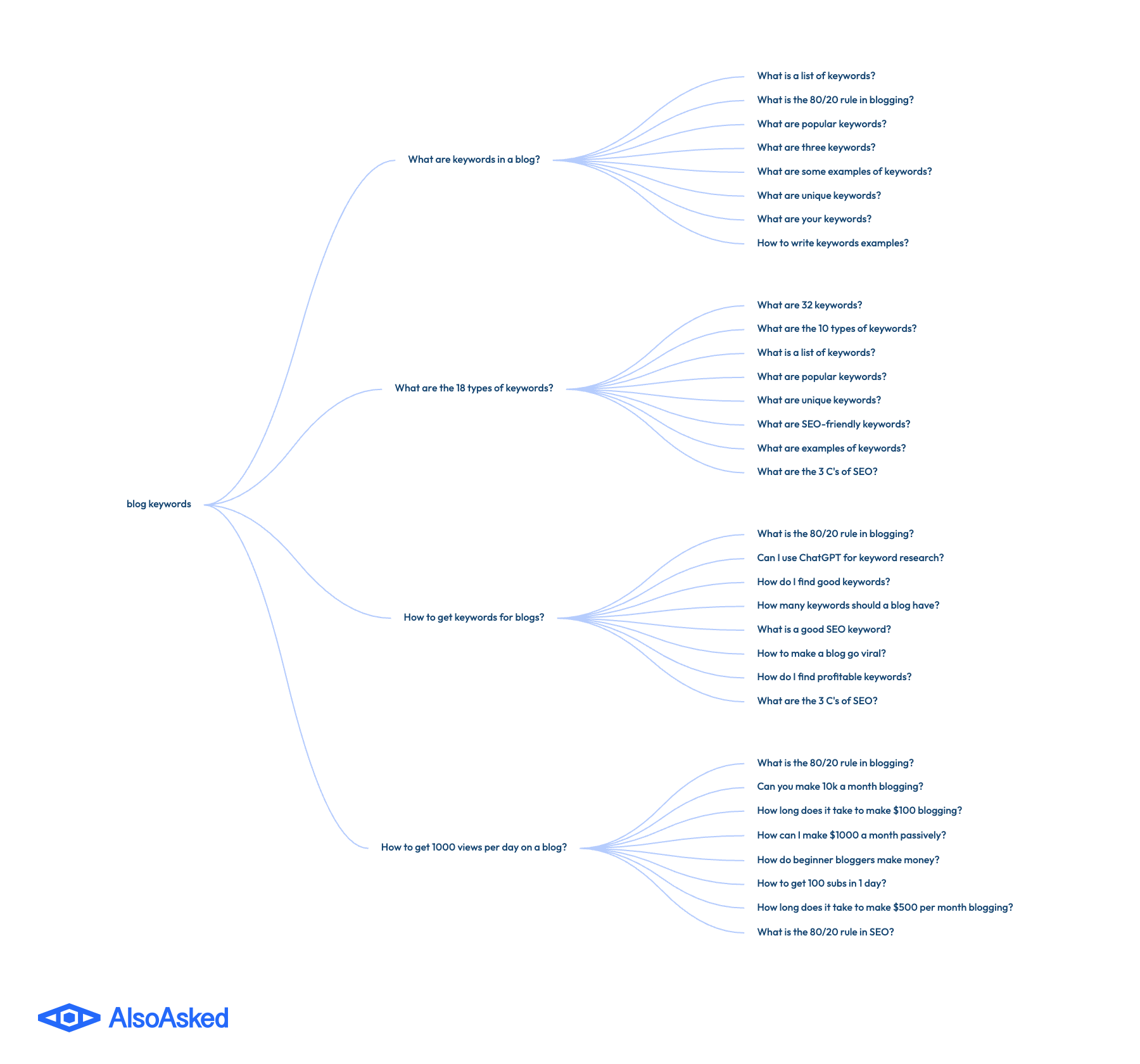
AlsoAsked: Understand the questions related to different topics
Providing answers to questions is very important this year. When you answer a question clearly and accurately, you provide exactly the type of snippet that's likely to be picked up by an AI search tool and displayed to your potential customer with your company name and/or a link.
AlsoAsked is one of my favorite question-finding tools. Just type in a keyword or trend and get a graph of all the related questions people are asking about the subject.
Can you use ChatGPT for keyword research?
Nope. Don't ask ChatGPT to give you blog keywords; it'll lie to you. Really! I've tested it, and the data is never accurate in terms of how popular or difficult a particular keyword is. This is the case with Google's AI, too: you'll want to stick with the tools mentioned above or another trusted SEO platform like Semrush, Ahrefs, or SE Ranking.
Putting your keywords to use in content
When you're ready to write a blog post, you'll want to use the keywords as follows:
- In the page URL
- In the page title (H1)
- Naturally throughout the text
You can focus on one primary keyword for a page, then look for questions that relate to it. Work those questions into the content naturally, making them headers (H2 or H3) where possible. You don't need to have a dedicated FAQ section on the page, but you can if you want to.
That's it! See, it's not so different than last year. You just really need to be intentional about header use, keyword placement (in title/headers/URLs) and be sure to provide real answers to related questions.