


I went to the U.S. edition of BrightonSEO — a big global SEO conference — in September and learned something interesting: LinkedIn is now more popular than Reddit when it comes to AI search answers.
If you think back a few weeks, each time you ran an AI search (or Google ran it for you and stuck it at the top of the page), you probably saw a lot of Reddit links. Now, though, large language models (LLMs) like Gemini are being instructed to move away from citing Reddit. Instead, the LLMs are now showing more content from LinkedIn.
A LinkedIn employee told us that LLM search traffic to the platform is up by more than 45% as of mid-September. And there are two ways that content about your brand or yourself can show up in search results via LinkedIn:
- The LLM runs a web search and returns pages about or by you and your company on LinkedIn
- Your profile and LinkedIn posts or articles are included in the next round of training data, i.e. the context and information lives in the LLM's "memory."
Of course, for either of those scenarios to actually play out, you need to have content on LinkedIn.
What kind of LinkedIn content works for AI SEO?
Anything you share on LinkedIn that's public can wind up appearing in LLM search results. This includes posts, comments and articles...though in my experience, the frequency tends to be:
- Articles appear the most
- Then some posts
- Very few comments
LinkedIn articles aren't just really long posts, either. There's an actual article publication component to LinkedIn (sometimes called Pulse) that you can access when you start making a post:
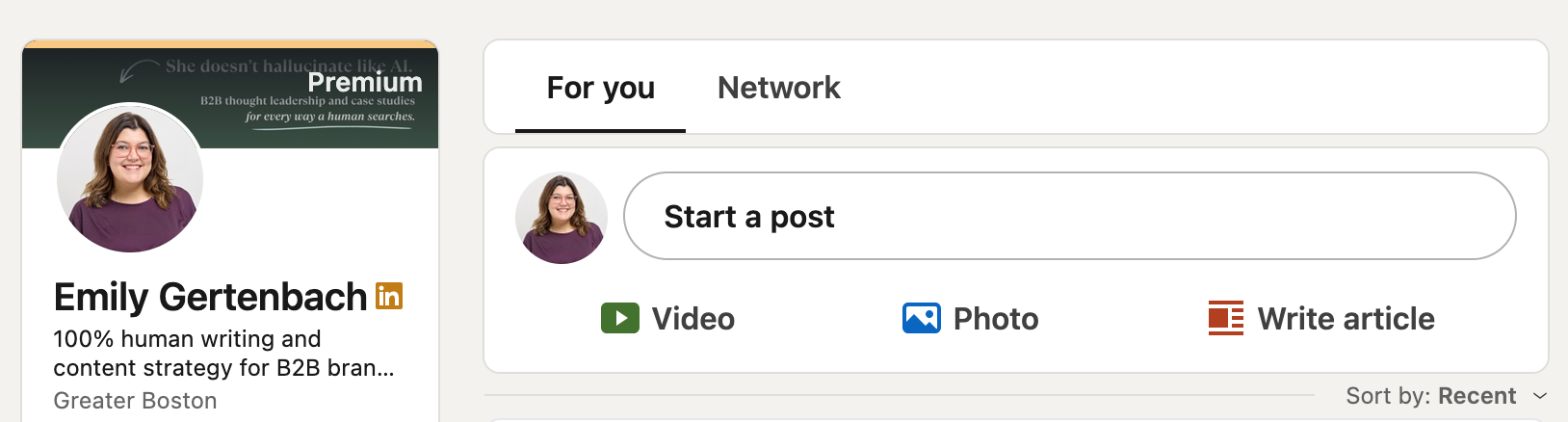
When you publish an article, LinkedIn creates a post that shares to your feed and contains the link. The article continues to live on its own page.
Can LinkedIn Pulse articles replace your blog or newsletter?
I don't recommend using LinkedIn articles in place of your blog or traditional newsletter (nor do I recommend using LinkedIn's newsletter feature in place of your existing email program). There are three reasons why:
- LinkedIn can deactivate your profile. The platform seems to be far less fickle with this than, say, Meta, but you don't own your LinkedIn page...the company does. If they decide to shut your profile down, your articles could vanish, too.
- Not everyone is on LinkedIn. This applies more to the email side of things, but if a post appears in search results the viewer may have to log in to see it. Not everyone has a LinkedIn account, so if this is the only place you're sharing content, you may wind up excluding some potential buyers or subscribers.
- The way LinkedIn benefits your SEO isn't the same as a website. On a website, getting search citations, mentions, and rankings typically drives brand awareness and traffic to your website. If one of your LinkedIn pages gets mentioned or cited by an AI search tool, it can impact brand awareness but won't boost your website traffic as the visit goes to linkedin.com. There's a trick: you need to place a link to your own website in your LinkedIn articles. Even if people don't click it (i.e. traffic), search engines count it as an earned backlink to your site. And those are good for SEO, as links boost your E-E-A-T!
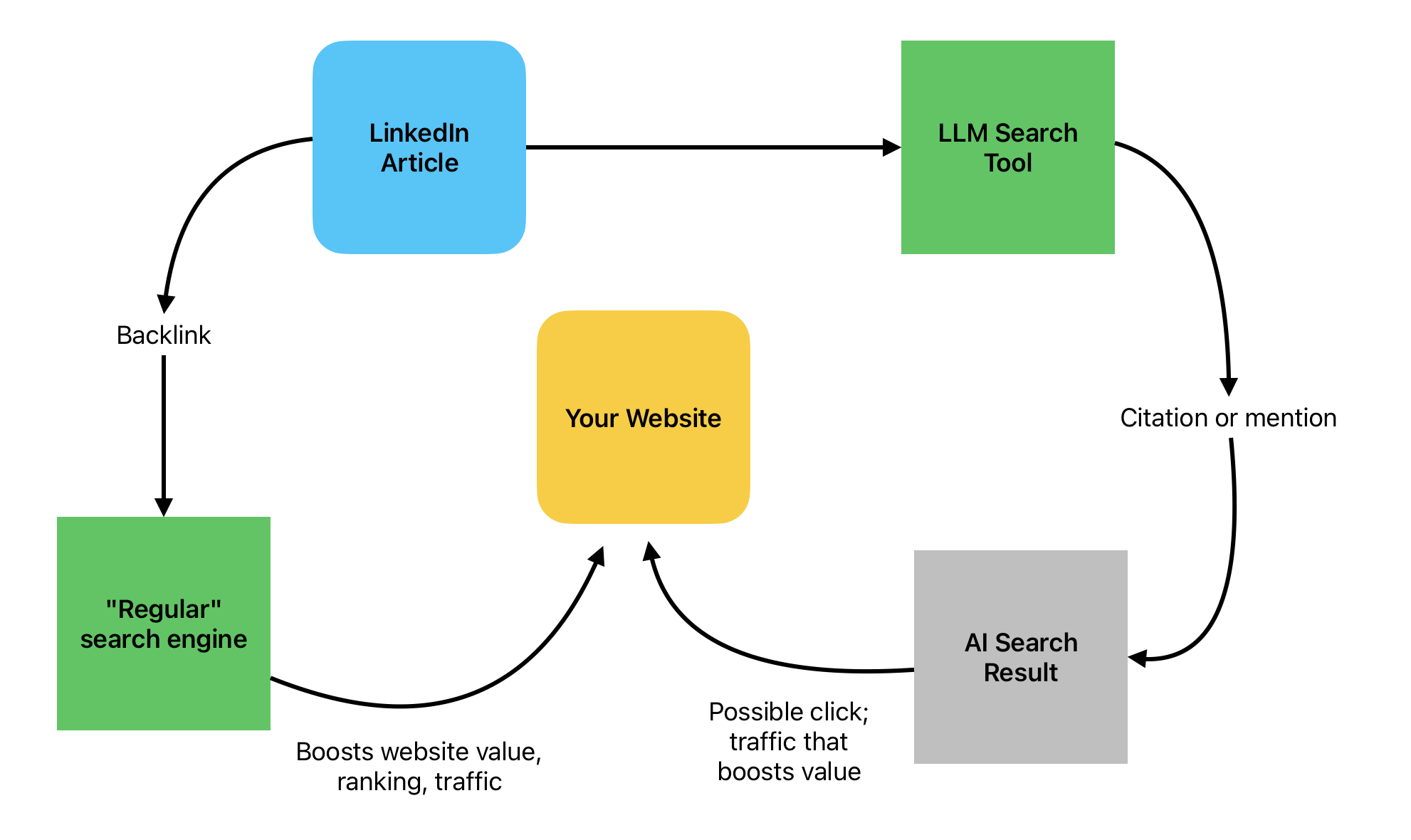
The TL;DR? Replacing your website with LinkedIn is risky. But using LinkedIn to share links to your website, when done strategically in articles, can boost your SEO and potentially bring in new visitors.
How to manage posting on your website and LinkedIn together
There are two ways you can approach posting on both your website and LinkedIn page:
- Create different content for each platform
- Post to your blog first, then repurpose it onto LinkedIn
I'm a fan of the second option, and there are a few ways to do this correctly for SEO / GEO / AEO purposes:
Repurposing writing on LinkedIn
- Post a blog to your website, wait about two months, then use the text as a LinkedIn article. Put "originally published on [website] [date]" at the bottom.
- Post a blog to your website and immediately share a link to it in a regular LinkedIn feed post.
- If you send separate emails that aren't the same thing as what you put on your blog, choose a few emails to use as LinkedIn articles right away. Because the email wasn't already on your blog, you don't need to do the waiting period described above.
Repurposing videos on LinkedIn
- Share a YouTube or Vimeo link in a post on LinkedIn.
- Export just a clip of your video (vertical format is best) and upload the clip directly to LinkedIn when creating a post.
- Record a live video, like a webinar, and stream it to LinkedIn at the same time via LinkedIn Live.
Of course, you can do more than one of the above simultaneously. No matter how many you choose, I find it easier than trying to do what is basically two complete blogs separately—one on LinkedIn and one on my website.