


Google Search Console (GSC) now shows generative AI impressions. Not clicks—that number would be hot trash for many websites, as generative AI is designed to keep people in the chat, not send them to other websites.
But you can see how many times you're mentioned or cited across Google AI features in the AI Overview, AI Mode, and Discover.
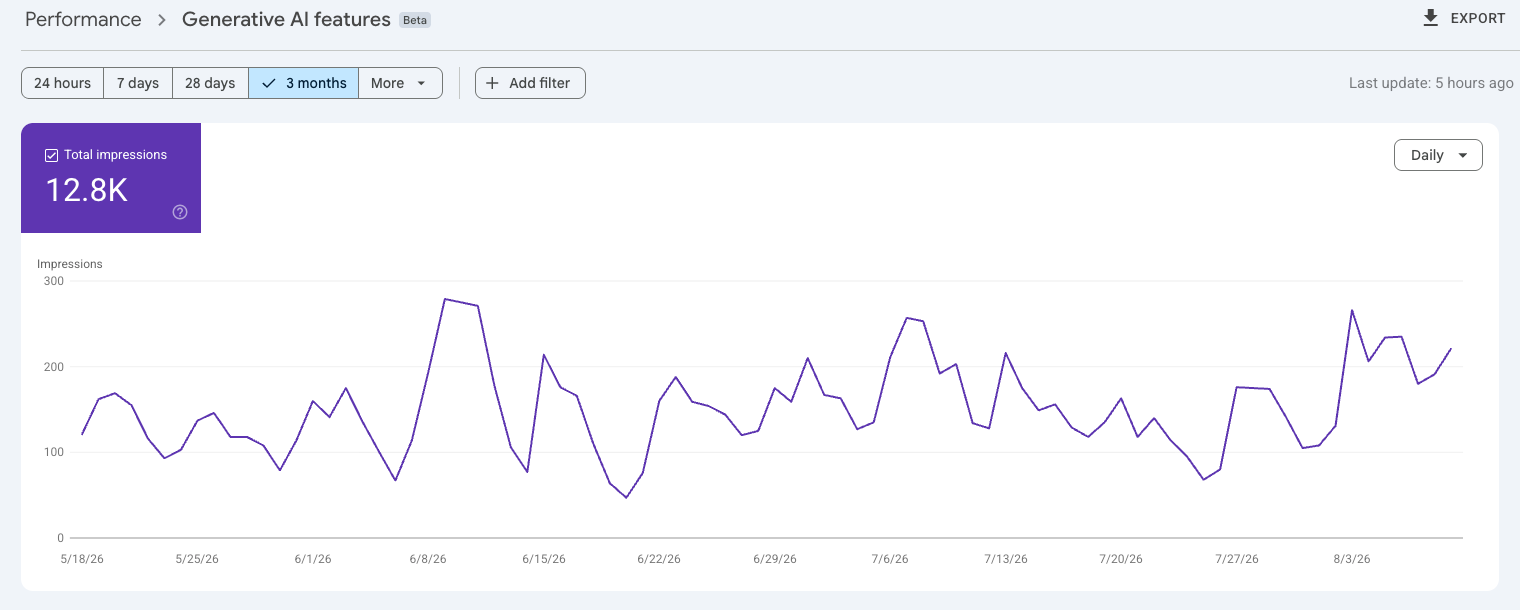
What you can do with GSC AI data
You can manipulate this data to show you impressions over various time periods, and just as in regular GSC reports, you can apply filters to the data.
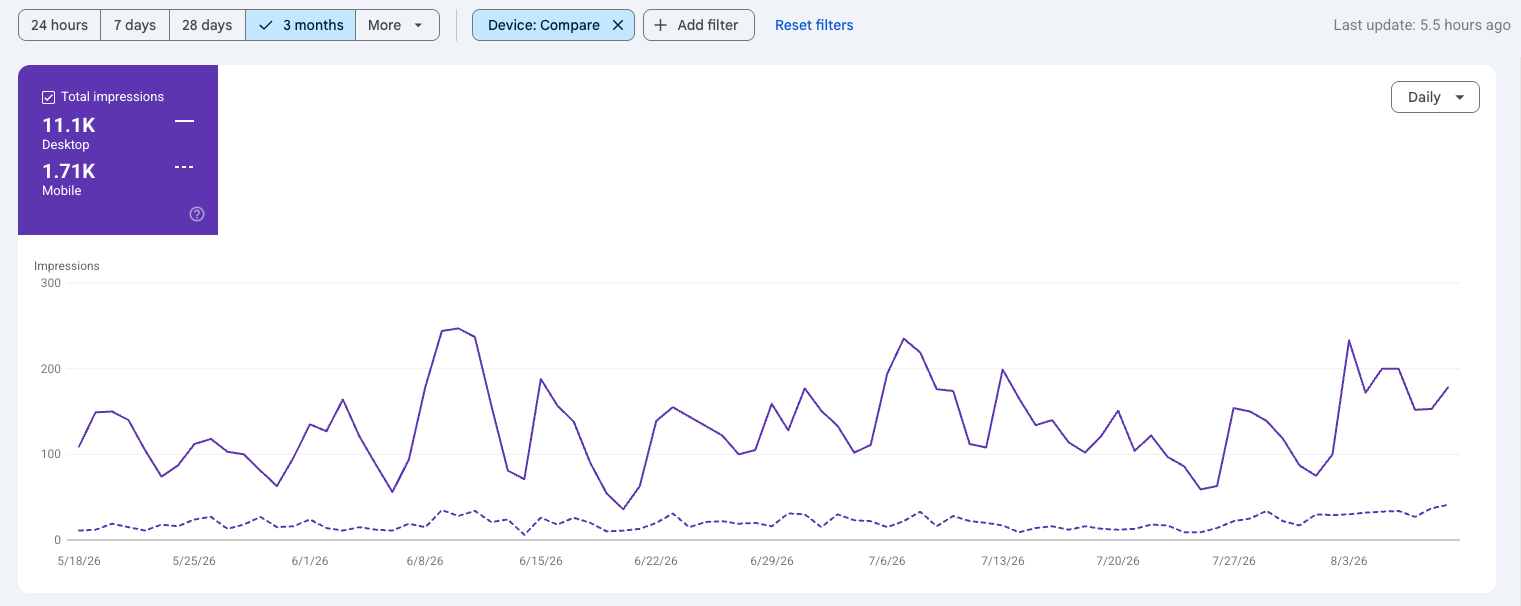
The adjustment below shows you the same data over the same time period as in the above picture. By applying the desktop vs. mobile comparison feature, I can see that most of the Google AI impressions I get come from people on desktops. This is exactly what I expected—I cater to a B2B audience, so most of my clients and readers are doing work on a computer, not finding me while scrolling a social platform.
If you scroll down beneath the line graph, you can see a breakdown of pages, countries, and days, just as with "regular" GSC reporting:
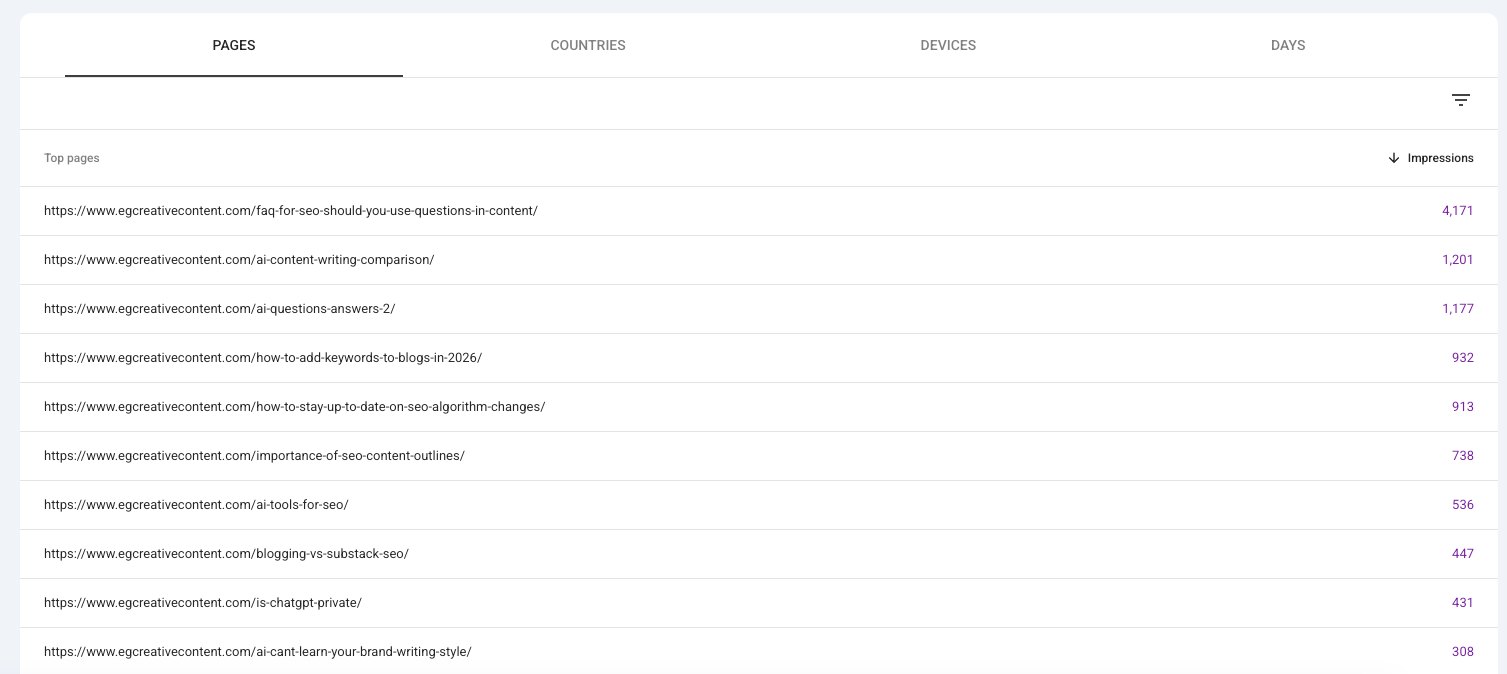
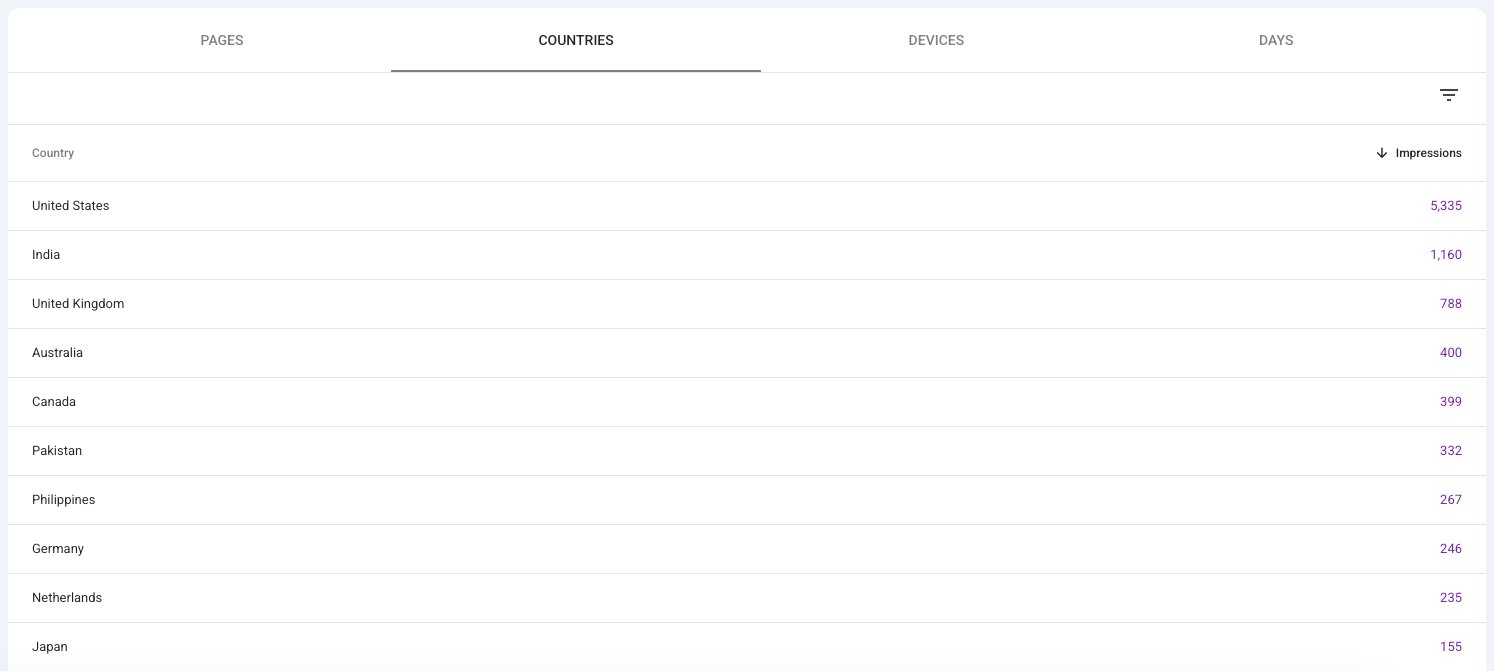
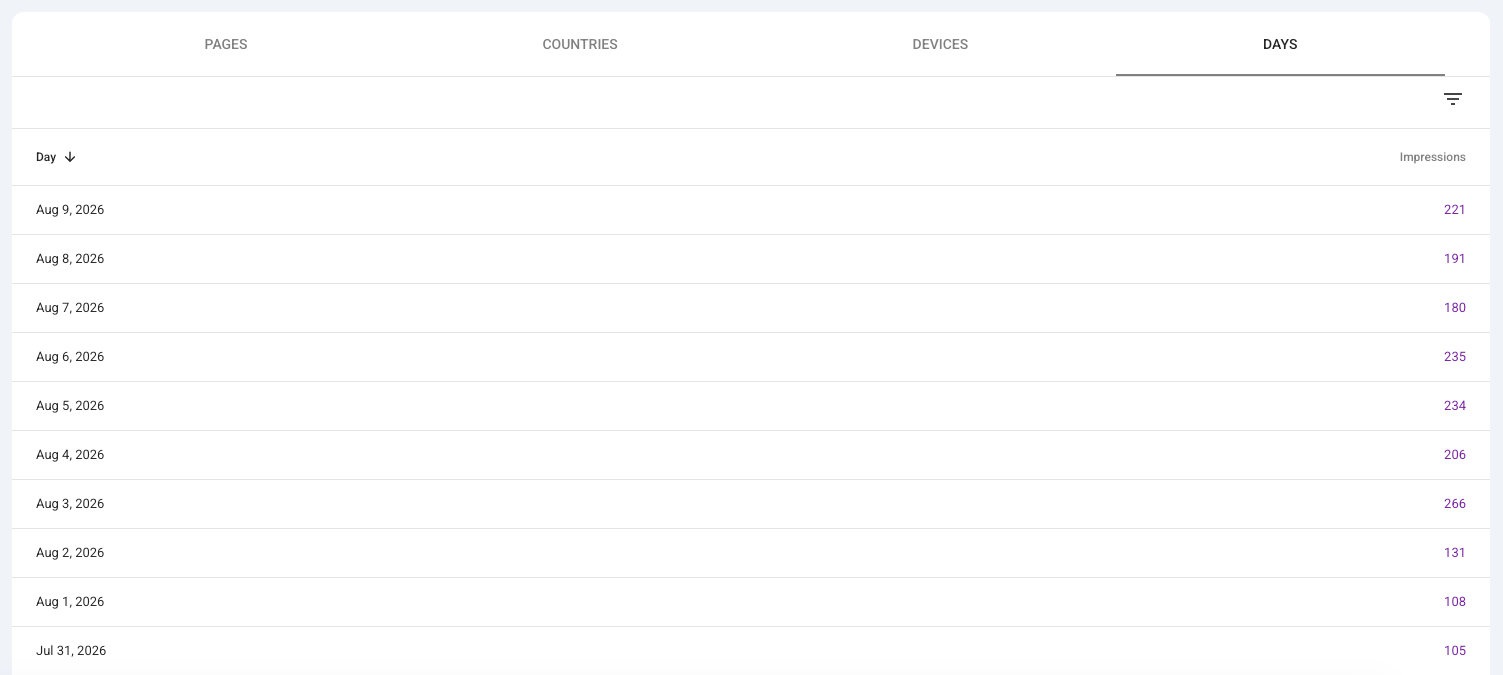
GSC shows you pages, countries, and days data related to AI search impressions
Now, if I look at the pages list in the AI data area of my GSC, I see this:
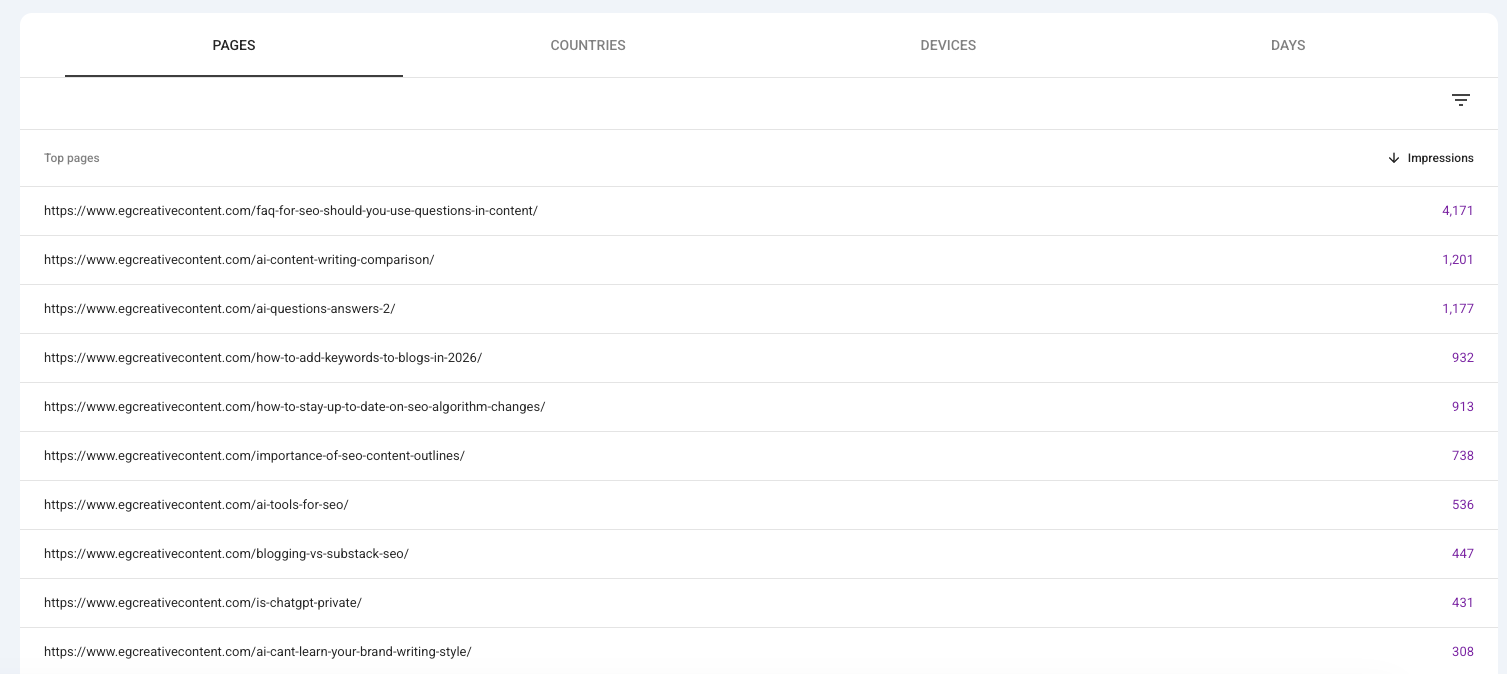
When I open up the standard/traditional page list, I can see that many, but not all of the same pages are in the same popularity order as when looking at AI results:
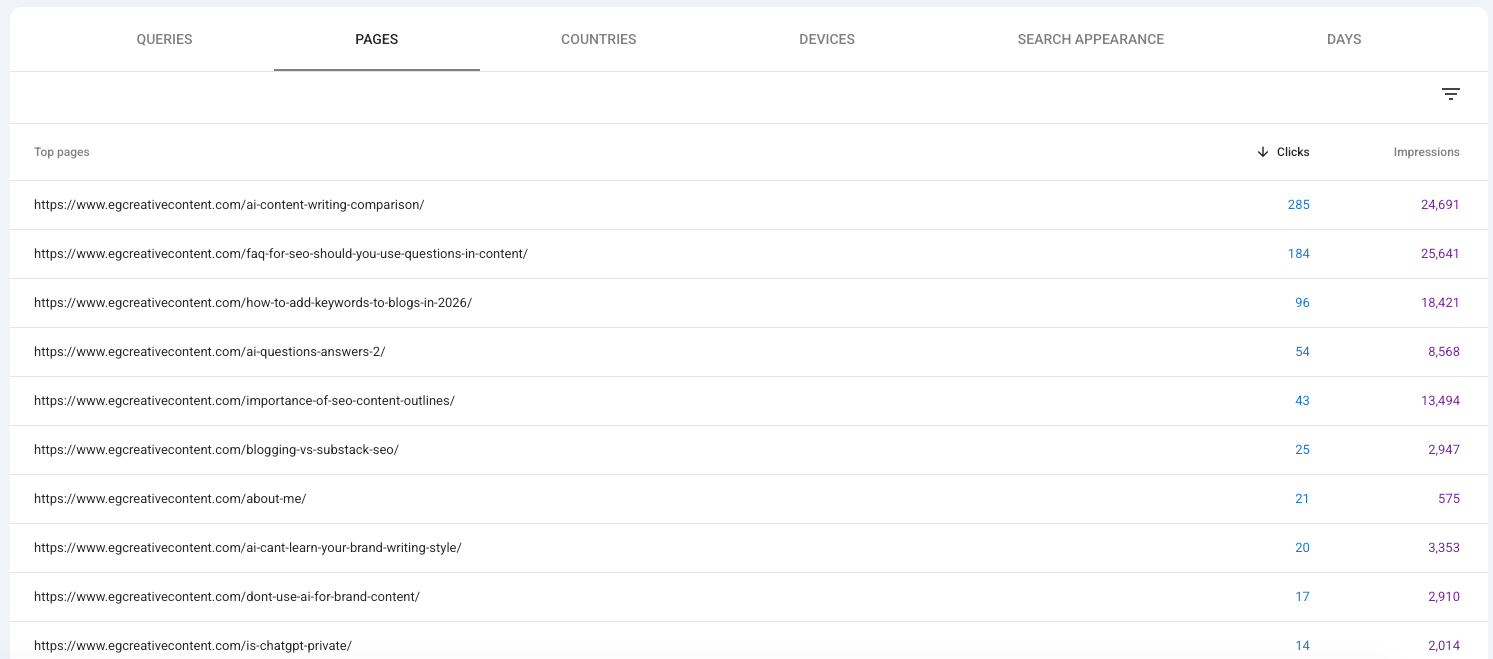
A little simple subtraction can tell us, for example, that my article about using FAQ questions in content got 4,171 impressions in Google AI search—and 21,470 impressions through regular search results.
Again, traditional search is not dead yet and this proves it. But there are three big things I can't see when reviewing the data provided by GSC.
What impressions and clicks I get from other AI search tools
I know from my Fathom Analytics reports that I get more traffic than this on my site, but Google is, as expected, only showing me their platforms' data. GSC won't replace a good analytics tool—either Google Analytics or something else—with the inclusion of this report.
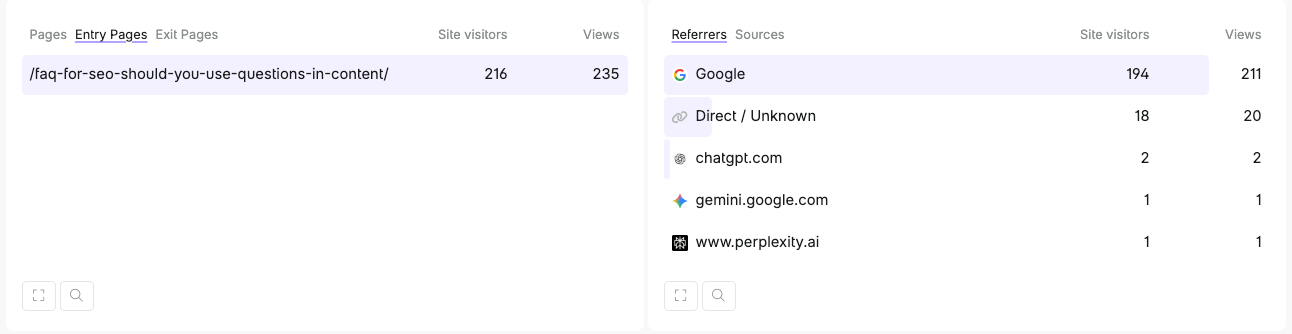
Using the page example from above, we can see that I get some clicks from OpenAI and Perplexity (though it's not my most popular page for visitors on those platforms. Perplexity users, for instance, are much more interested in my human vs. AI content writing comparisons!)
What questions people asked to generate the AI results that I appear in
While there's no way to know everyone's individual prompts (nor do we need to know exact word strings to optimize for LLMs), the "regular" GSC view shows me the keywords people type in to see my website in results. We get zero information on the AI side of things with this new report.
Clicks to my website from AI search features
As mentioned above, this is likely because the click-through rate from AI Mode/AI Overview is going to be far worse than on regular search results listings. It's a common issue across all AI platforms used for search.
What's the benefit to using GSC's AI data?
At this point, for most people, the benefit to the GSC AI report is simply...general information. It can show you whether you're appearing in any Google AI results, and you can do the math to see how many more of your impressions come from traditional search vs AI search.
But you can't properly extrapolate how many clicks you get from Google AI tools, how many impressions you get across other AI tools, or what topics and questions cause you to appear in Google AI results. For that, you'll need to cobble together several data sources including analytics reports and dedicated AI SEO analysis platforms.
I do recommend having at least a solid baseline understanding of how you appear across LLM searches, including on both Google's platforms and others like ChatGPT. This is useful for a few reasons:
- You can assess what AI tools (if any) your customers tend to use
- You can check to make sure the prompts driving traffic to your website are actually related to your business and goals—if not, there's a content alignment that needs to be addressed
- You can better understand what your visitors are searching for and talking to AI about, which then helps you adjust your marketing for different channels to generate more quality leads from LLMs
- You can evaluate your competitors and figure out who to focus on and compete with more directly across different channels
- You can make sure that LLMs are representing your brand correctly.
- You get a good source of information about what's top of mind for your audience and your competitors—you can see where the latter are falling short and fill the information gap yourself
Unfortunately, this GSC report alone isn't enough to do that—but it's a start.